What Is an NPU in an AI PC? The Engine for On-Device AI
Wondering what an NPU is in an AI PC? It's a specialized processor designed for AI tasks, enabling faster on-device performance and enhanced privacy for the next generation of computing.
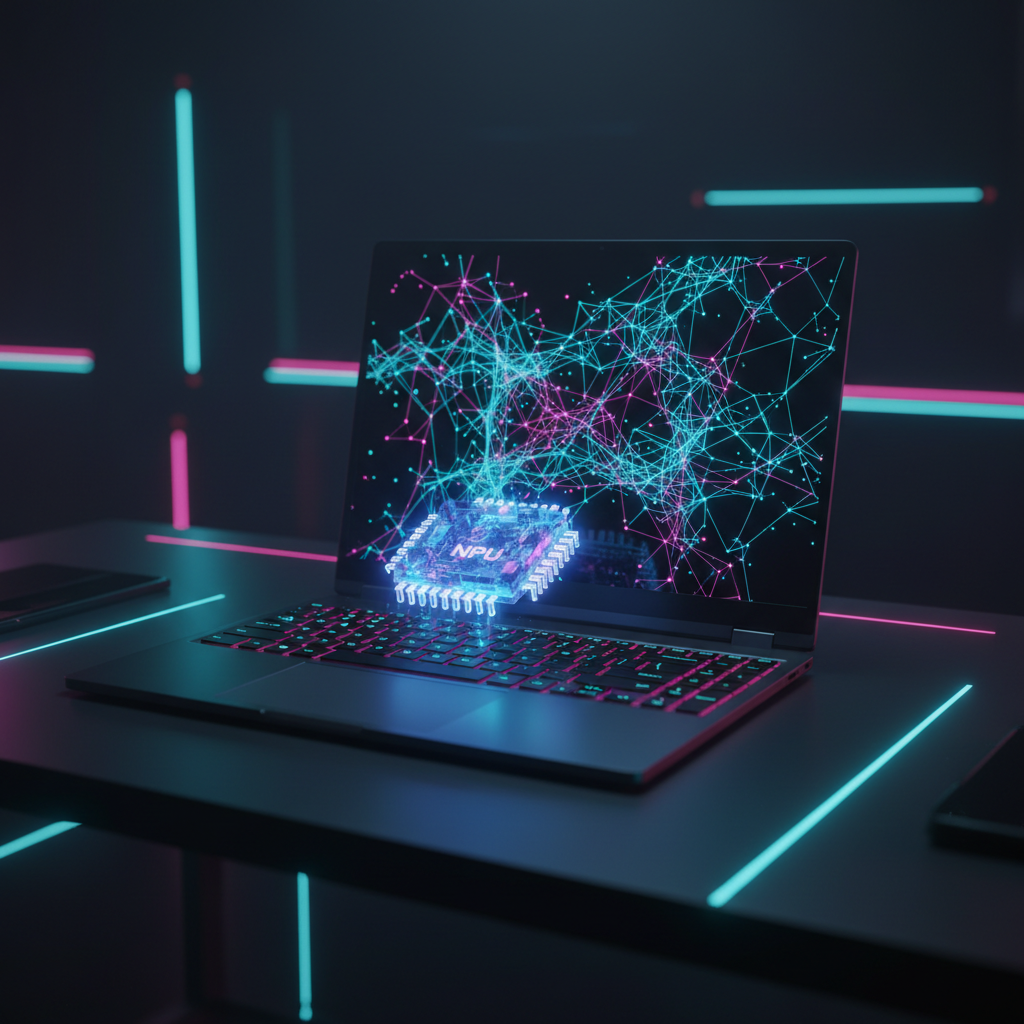
''' It feels like the term "AI PC" exploded into the tech lexicon overnight. From Microsoft to Intel to Qualcomm, every major player is touting a new generation of intelligent laptops. But beyond the marketing buzz, what actually makes a personal computer an "AI PC"? The answer isn't just about software; it's about a fundamental shift in hardware, centered on a revolutionary piece of silicon: the Neural Processing Unit, or NPU.
So, what is an NPU in an AI PC? In short, it’s a specialized microprocessor designed from the ground up to handle the unique mathematical demands of artificial intelligence workloads. Think of it as a dedicated brain for AI, living right inside your laptop. It doesn't replace your trusty CPU or GPU; instead, it joins them to form a new, more powerful computing trinity.
This isn't just an incremental upgrade. The introduction of the NPU marks a pivotal moment in personal computing, shifting the balance from a total reliance on cloud-based AI to powerful, private, and efficient on-device processing. This article will break down what an NPU is, how it functions, why it’s the cornerstone of new initiatives like Microsoft’s Copilot+ PCs, and what it means for the future of your digital life.
The "AI Trinity": CPU, GPU, and the NPU
For decades, the heart of your PC has been a duo: the Central Processing Unit (CPU) and the Graphics Processing Unit (GPU). Each has a distinct role.
- The CPU is the general-purpose workhorse. It’s the brilliant multitasker, handling everything from opening applications and managing your operating system to running spreadsheets. It has a few very powerful cores designed to tackle a wide variety of tasks sequentially at high speed.
- The GPU, originally designed for rendering graphics in video games, found a second life in AI. Its architecture, featuring thousands of simpler cores working in parallel, turned out to be excellent for training large AI models, which involves processing massive datasets simultaneously. However, GPUs are power-hungry and generate significant heat, making them less than ideal for running sustained AI tasks on a battery-powered laptop.
This is where the NPU comes in. It’s the third pillar of this new "AI Trinity," purpose-built to run AI models efficiently. An NPU is designed to accelerate the specific types of calculations that form the backbone of neural networks—like matrix multiplications and convolutions—using the least amount of energy possible. It's not about raw power for a short burst; it’s about sustained, low-power performance for the AI features that will always be running in the background.
An easy analogy is a restaurant kitchen. The CPU is the head chef, directing operations and handling complex, individual orders. The GPU is the entire prep-cook team, capable of chopping ten bags of onions at once. The NPU, then, is a specialized pastry chef who can flawlessly and efficiently craft intricate desserts all day long without breaking a sweat. Each is a master of its own domain, and together, they run a world-class kitchen.
How Does a Neural Processing Unit Actually Work?
The magic of the NPU lies in its specialized architecture. Unlike a CPU that needs to be a jack-of-all-trades, an NPU is an expert in one area: running AI inferences. An "inference" is the process of using a pre-trained AI model to make a prediction or generate a result—for example, transcribing your speech into text or identifying a person in a photo.
The performance of an NPU is measured in TOPS, or Trillions of Operations Per Second. This metric specifically quantifies how many AI-related calculations it can perform. The higher the TOPS, the more capable the NPU is of handling complex, real-time AI tasks directly on your device.
On-Device AI vs. Cloud AI: The Core Difference
Until now, most of the generative AI experiences you've used, like asking ChatGPT a question or generating an image with Midjourney, have been powered by the cloud. Your request is sent over the internet to a massive data center filled with powerful, energy-intensive GPUs. The data center processes the request and sends the result back to you.
The NPU enables a paradigm shift to on-device AI. By having a dedicated processor locally, your PC can run sophisticated AI tasks without ever needing to connect to the internet. This has four transformative benefits:
- Speed & Latency: There's no round-trip to the cloud. On-device AI is virtually instantaneous. Think of live language translation during a video call—it has to happen in real-time, something the cloud can struggle with.
- Privacy & Security: Your data stays on your device. For sensitive tasks, like the upcoming Windows Recall feature that creates a searchable timeline of your activity, processing data locally is a critical privacy feature. Nothing is sent to a company's server.
- Offline Capability: Your AI features work even when you don't have an internet connection. You can summarize a document, enhance a photo, or use advanced accessibility features on a plane or in a remote area.
- Cost & Efficiency: Running AI models on-device is dramatically more power-efficient than relying on the cloud, which translates to significantly better battery life for your laptop.
Mini Case Study: Microsoft's Copilot+ PC Initiative
The most prominent real-world example of the NPU's importance is Microsoft's "Copilot+ PC" standard, announced in May 2024. This isn't just a sticker; it's a new hardware specification that defines the next generation of Windows PCs. The single most important requirement for a machine to earn the Copilot+ badge is an NPU capable of at least 40 TOPS.
This specific performance target was chosen because it provides enough horsepower to run Microsoft’s new wave of on-device AI features. The first laptops to meet this standard are powered by Qualcomm's Snapdragon X Elite and X Plus processors, whose Hexagon NPU delivers 45 TOPS. This has enabled features that were previously impossible on a Windows laptop:
- Recall: This controversial but powerful feature runs entirely on the NPU. It takes snapshots of your screen every few seconds, and the AI model on the NPU makes all the text and images "findable." You can search for anything you've ever seen on your PC using natural language. Because it's all local, Microsoft can argue it's a private experience.
- Live Captions: The NPU can provide real-time translation and transcription for any audio coming from your PC, whether it's from a video call, a movie, or a podcast, translating over 40 languages into English subtitles instantly.
- Cocreator in Paint: You can now generate images from text prompts or doodles right inside Microsoft Paint. The NPU handles the initial, rapid generation, creating a near-instant feedback loop for creativity.
The Copilot+ PC initiative is a clear statement: the future of Windows is tied directly to the capabilities of the NPU. It creates a baseline for developers, encouraging them to build new apps that leverage on-device AI, knowing a significant and growing user base will have the necessary hardware.
Data Table: CPU vs. GPU vs. NPU for AI Tasks
To understand their distinct roles, here is a breakdown of how each processor stacks up for AI.
| Processor | Primary Function | Ideal AI Workload | Power Efficiency | Key Metric |
|---|---|---|---|---|
| CPU | General-purpose computing, system management | Small, quick AI tasks; parts of AI models that can't be parallelized | Low to Medium | Clock Speed (GHz) |
| GPU | Parallel processing, graphics rendering | Training large AI models in the cloud, high-end graphics | Very Low (High Power) | VRAM, FLOPS |
| NPU | Accelerating neural network operations | Sustained, real-time AI inference on-device (e.g., background tasks) | Very High (Low Power) | Trillions of Ops/Sec (TOPS) |
Actionable Steps: How to Know if You Need an AI PC Today
Is it time to run out and buy a new Copilot+ PC? For some, the answer is a clear "yes," but for others, it’s worth waiting. Here’s a checklist to help you decide.
- Assess Your Current Workflows: Are you a power user of AI tools? Do you find yourself constantly using generative AI for writing, coding, or image creation? If AI is already central to your work, the speed and privacy benefits of an NPU will be immediately noticeable.
- Consider Your Privacy Needs: Do you work with confidential client information, sensitive financial data, or private research? The "local-first" approach of NPU-driven AI is a massive advantage for data security.
- Evaluate Your Most-Used Applications: Look at the roadmaps for the software you depend on. Adobe, DaVinci Resolve, and many others have announced NPU-accelerated features. If your primary creative or productivity apps are going all-in on on-device AI, a new AI PC will unlock new capabilities.
- Check Your Hardware Refresh Cycle: If your current laptop is more than 3-4 years old and nearing the end of its life anyway, it makes perfect sense to invest in an AI PC. This future-proofs your purchase for the next wave of software innovation.
- Be Honest About Your Needs: If you primarily use your laptop for web browsing, email, and streaming video, you won't see much benefit from a powerful NPU today. The CPU in modern laptops is more than capable of handling these tasks and will be for years to come.
Common Pitfalls & What to Avoid When Buying an AI PC
The AI PC market is new and filled with marketing jargon. Here’s what to watch out for.
Don't Just Chase the Highest TOPS Number
While a minimum of 40 TOPS is the current benchmark for Copilot+, a higher number doesn't automatically guarantee a better experience. The quality of the drivers, the integration with the operating system, and the overall system design (memory bandwidth, cooling) are just as important. A well-integrated 45 TOPS system can outperform a poorly designed 60 TOPS system.
Beware of "AI-Washing"
Many companies will market their laptops as "AI-powered" simply because their CPUs or GPUs have some AI acceleration capabilities. This is not the same as having a dedicated, high-performance NPU. If you want the true on-device AI experience, look for the official "Copilot+ PC" branding or verify that the NPU meets the 40+ TOPS requirement.
Assuming All Your Software Will Be Faster Immediately
The NPU is not a magic "go faster" button for every application. Developers must specifically adapt their software to take advantage of it. While Microsoft’s own apps and a growing list of third-party partners are on board, it will take time for the entire software ecosystem to catch up. Early adoption means accepting that the NPU's full potential won't be realized on day one.
The Future Is Hybrid: NPU + Cloud AI
The rise of the NPU and the AI PC doesn't mean the end of cloud-based AI. The future of AI is hybrid. Your device will intelligently decide where to run a task for the best results.
The NPU will act as the first line of defense, handling all the immediate, real-time, and privacy-sensitive tasks. It will be the engine for the AI that is woven into the fabric of the operating system. When you need to perform an incredibly complex task—like training a new model or running a query against a massive, up-to-the-minute dataset—your PC will seamlessly tap into the power of the cloud.
This hybrid approach, with the NPU at the edge and the cloud as the powerful core, offers the best of both worlds: the responsiveness and privacy of on-device processing combined with the near-infinite scale of the cloud. With Apple’s long-standing lead with its Neural Engine, and Intel (Lunar Lake) and AMD (Strix Point) now bringing their own powerful NPUs to market, every corner of the personal computer industry is betting on this NPU-driven, hybrid future.
About the Author
The neural.ai editorial team is a collective of senior tech journalists and SEO strategists with decades of combined experience. We use a blend of human expertise and advanced AI tools to analyze breaking trends in artificial intelligence, delivering insights that are authoritative, practical, and engineered to be understood. Our hands-on evaluations and deep dives aim to cut through the hype and explain what truly matters in the world of AI.
Internal Linking Suggestions
- Anchor Text: Apple Intelligence
- Target Topic: Apple Enters AI Race with "Apple Intelligence," Overhauls Siri with ChatGPT
- Anchor Text: personal AI stack
- Target Topic: How to Build Your Own Personal AI Stack (And Stop Drowning in Tools)
- Anchor Text: generative AI capabilities
- Target Topic: Meta Llama 3.1 Release Analysis: A New Challenger to OpenAI?
- Anchor Text: AI hardware boom
- Target Topic: NVIDIA Claims Top Spot as World's Most Valuable Company Amid AI Boom
- Anchor Text: Autonomous AI Agent
- Target Topic: How to Build Your First Autonomous AI Agent (No Code Required)
Related Articles to Explore
- Snapdragon X Elite vs. Apple M4: The Ultimate NPU Showdown
- A Buyer's Guide to the Best Copilot+ PC Laptops of 2024
- How On-Device AI Will Change Mobile App Development Forever
- Intel Lunar Lake vs. AMD Strix Point: The NPU Arms Race Heats Up
- Privacy in the Age of AI PCs: Is Windows Recall a Step Too Far? '''
Key Takeaways
- ▸An NPU (Neural Processing Unit) is a specialized processor in AI PCs designed for efficient, low-power AI calculations.
- ▸NPUs enable powerful on-device AI, which offers better speed, privacy, and offline capabilities than cloud-based AI.
- ▸Microsoft's new Copilot+ PCs require an NPU with at least 40 TOPS (Trillions of Operations Per Second) to run advanced features like Recall.
- ▸The NPU works alongside the CPU and GPU, forming an "AI Trinity" where each processor handles the tasks it's best suited for.
- ▸The future of AI is hybrid, blending the instant response of on-device NPUs with the immense power of cloud AI for more complex tasks.
Frequently Asked Questions
What is the difference between a GPU and an NPU for AI?+
A GPU is great for training large AI models in the cloud but uses a lot of power. An NPU is designed for running AI models (inference) efficiently on your device, like a laptop. It uses far less power, making it ideal for battery life and sustained, real-time AI tasks.
Do I need an NPU in my next computer?+
If you are a heavy user of AI tools, handle sensitive data, or are buying a new high-end laptop soon, investing in a PC with a powerful NPU is a good way to future-proof your purchase. For casual users, a modern CPU is still sufficient for everyday tasks.
What does TOPS mean for an NPU?+
TOPS stands for Trillions of Operations Per Second. It's the key metric for NPU performance, measuring how many AI-specific calculations it can perform per second. Microsoft requires at least 40 TOPS for its Copilot+ PC designation, indicating a high level of on-device AI capability.
Are AI PCs secure?+
AI PCs that use an NPU for on-device processing are generally more private and secure for AI tasks. Because your data is processed locally and not sent to the cloud, there is less risk of interception or server-side data breaches. However, overall system security still depends on the operating system and user practices.
Sources & further reading
Recommended AI Tools
Hand-picked tools related to this article — explore reviews, pricing, and use cases.
Stay ahead of the curve.
Bookmark neural.ai or share this article — new stories drop every 12 hours.
Explore more articles